Agency Operations Console
Built an operations console alone for a marketing agency. Every content run is in one view, failed steps retry with backoff, and runs can be rerun from the console.
The problem
The client is a marketing agency managing content and ads for local service businesses.
Content for each client ran through its own copy of an automation workflow. There was no single place to see what ran, what failed, or what was published. Adding a client meant cloning a workflow and editing it.
When a run failed, it was retried a couple of times. Then a message went to Slack, and someone had to rerun the whole automation by hand.
What I built
I built one console that runs the agency's content work. I built it alone, end to end. It covers five jobs:
AI article and image generation
Articles and their images are written and drawn for each client.


Publishing
Finished content goes out to client websites and social accounts.


Client setup
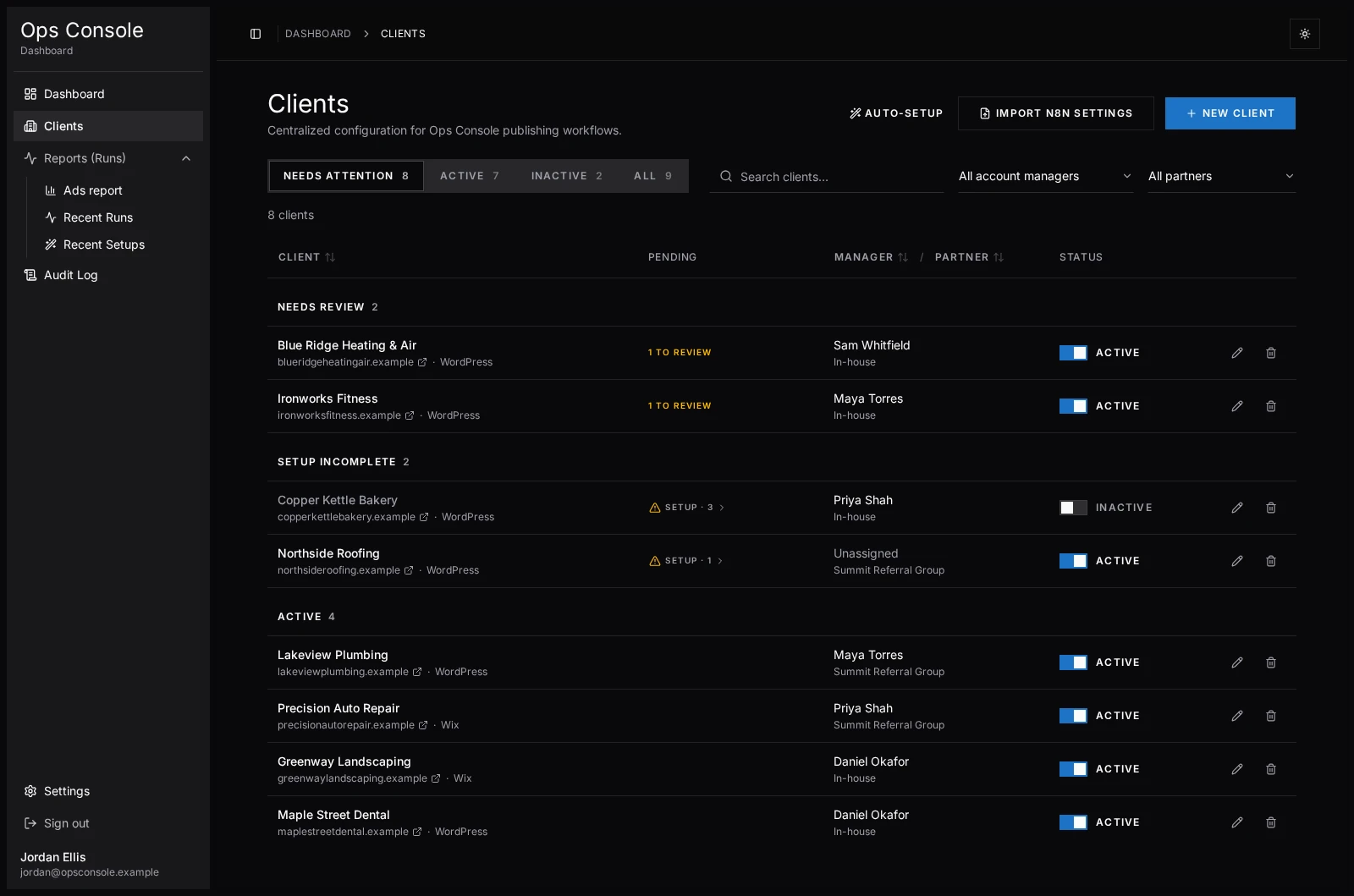
A new client is set up from the console, not by cloning a workflow.


Run tracking
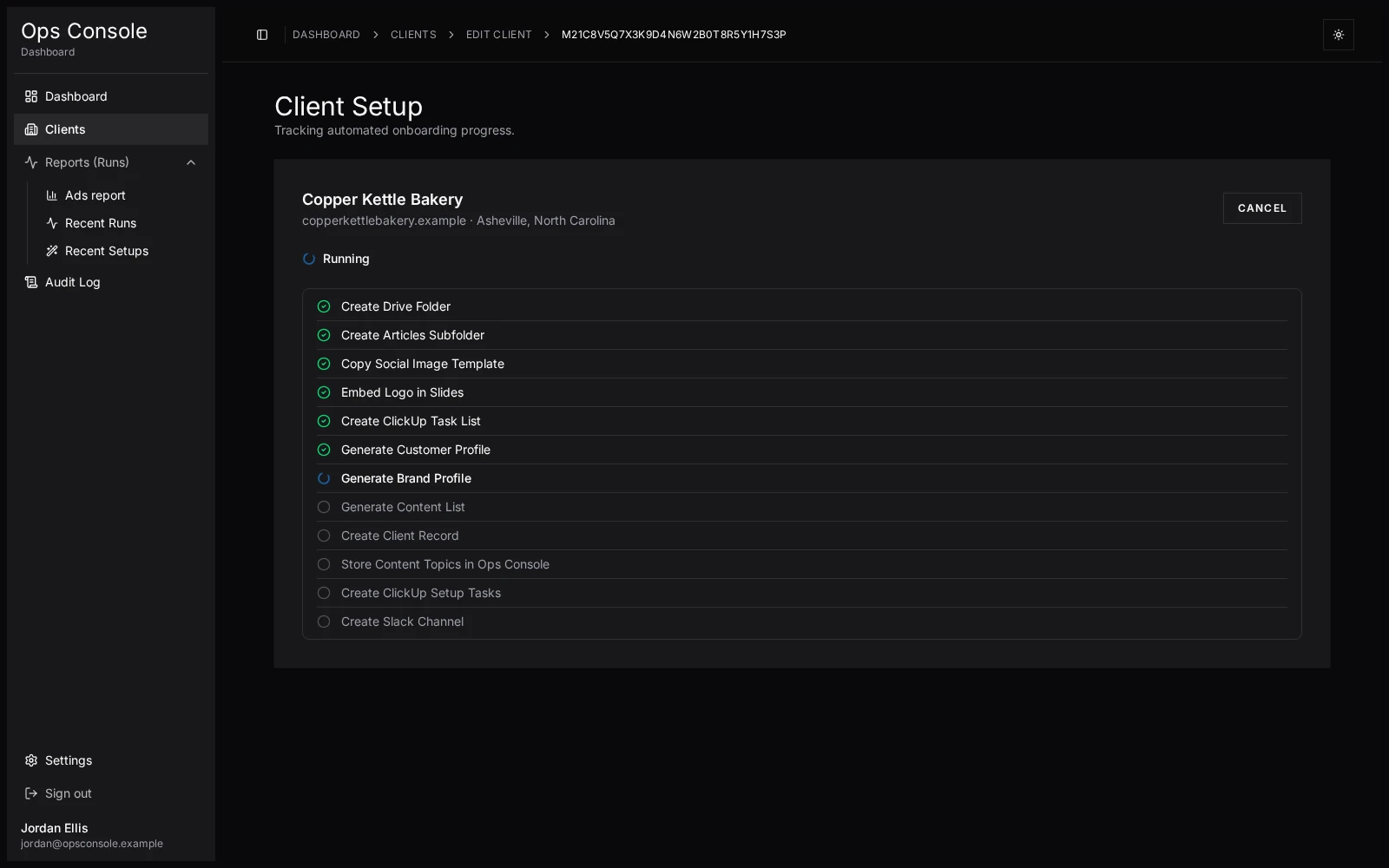
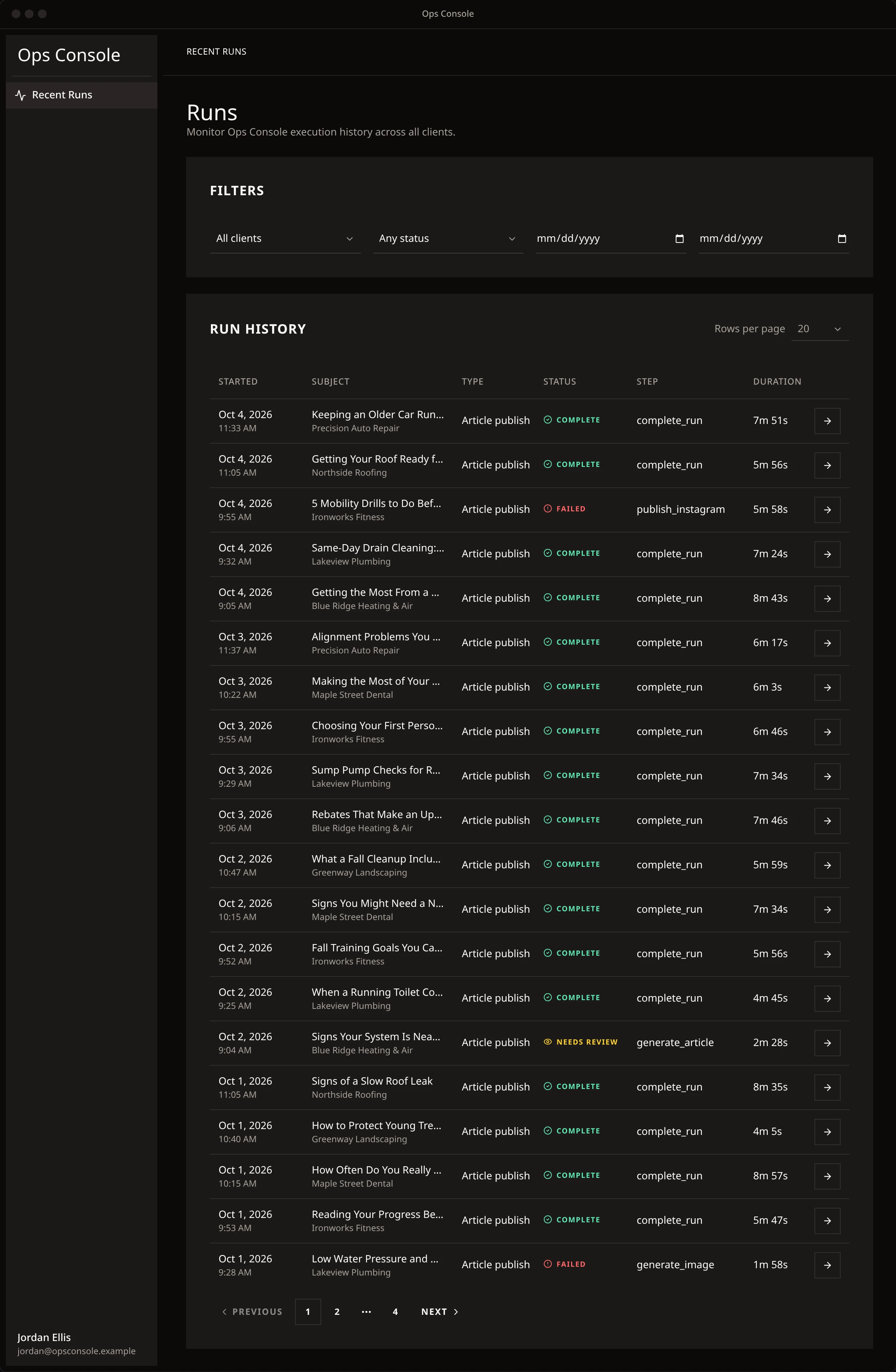
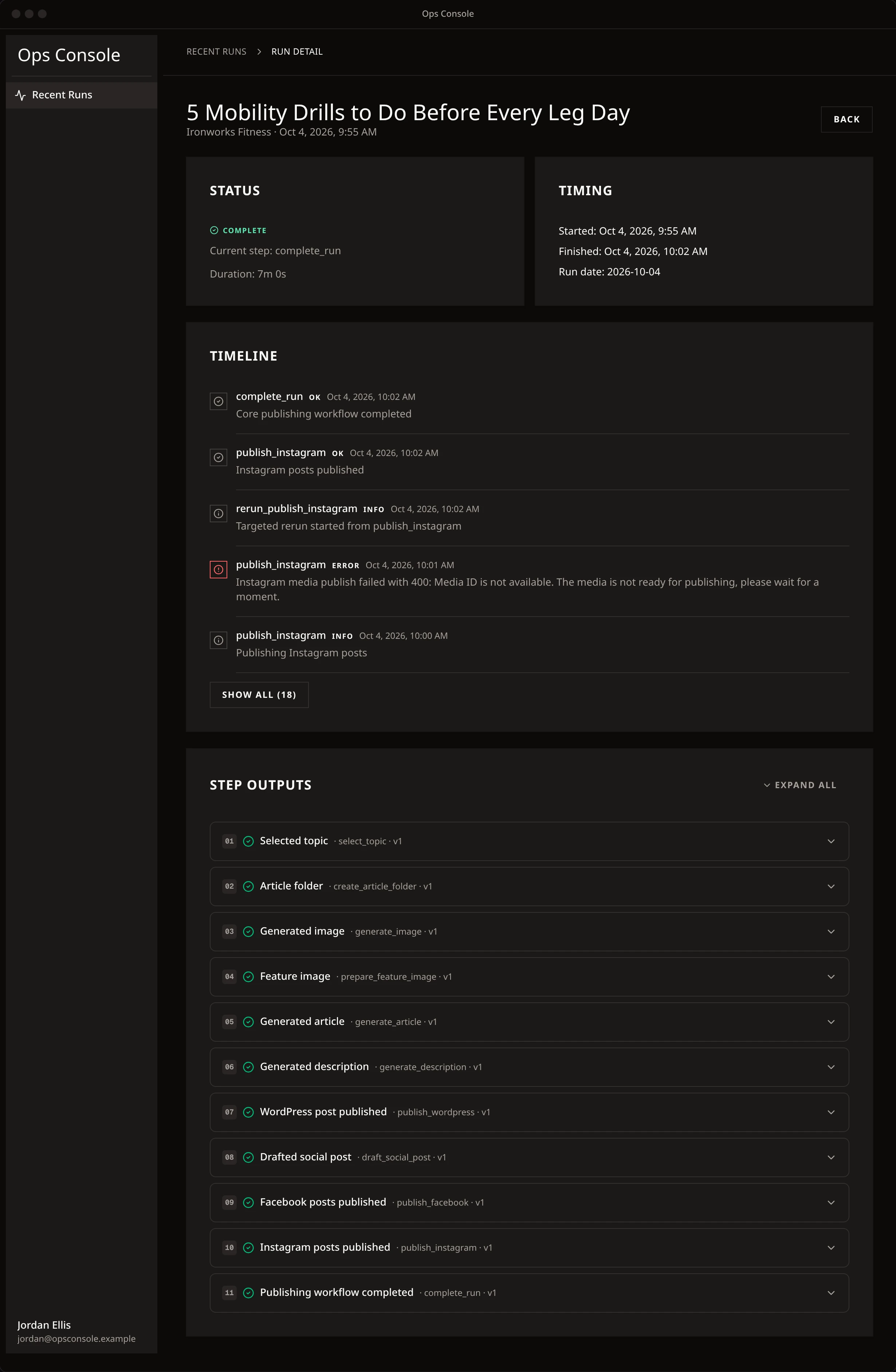
Every run has a timeline of its steps, so anyone can see where it stands.
One content run, step by step
- Write the article✓Done, kept
- Draw the image✓Done, kept
- Publish to the website✓Done, kept
- Publish to social accounts✓Done
Every step of a run is recorded as it happens.
A step fails. The console waits, then tries again, waiting longer each time.
Still failing after three tries. An operator steps in.
Only the failed step runs again. Finished work is kept.
The run completes. Nothing was redone by hand.
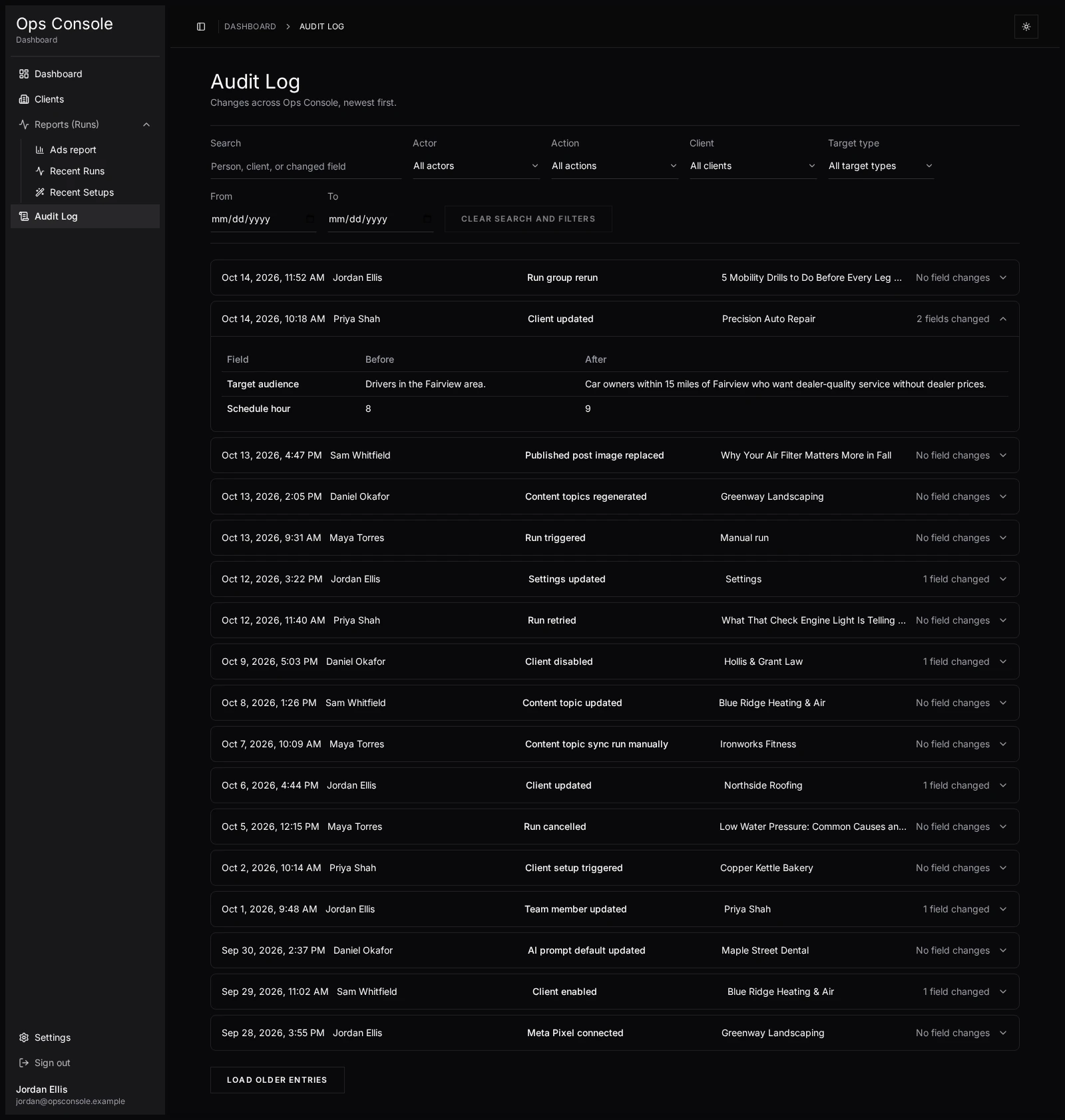
An audit log
Every change an operator makes is recorded.


It took about six and a half months of solo work. By the numbers, it has 540 commits, 48 data tables, 472 server functions, 163 test files and 23 recorded architecture decisions.
The agency's cross-client Meta ads reporting also lives inside the console.
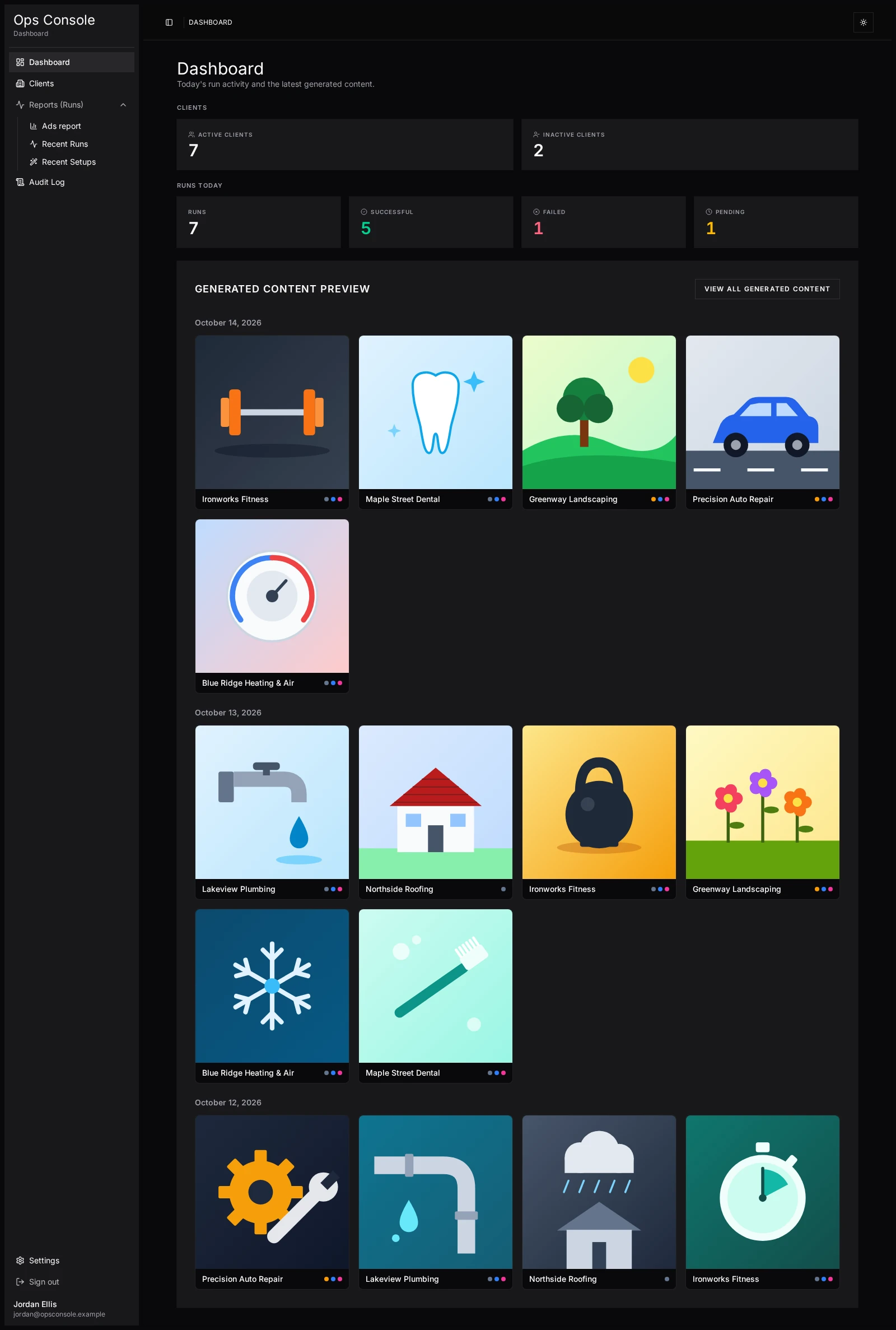
The live demo and the screenshots below come from the real interface, shown as "Ops Console" and filled with demo data. Every business, person and figure in them is invented.
What changed
| Task | Before | After |
|---|---|---|
| Seeing what ran, failed or was published | no single place | one view of every run |
| A step that fails | retried a couple of times, then a Slack message | retried with backoff |
| Rerunning a failed run | the whole automation, by hand | rerun from the console |
Every run is now in one view. When a step fails, it is retried with backoff: each attempt waits a little longer than the last, so a short outage can clear on its own.
If a step still fails, an operator reruns the run from the console. The rerun starts from the failed step, not from the beginning.

Technical decisions
- A reactive backend. Operators see runs live. A run's status and timeline update on screen as each step happens.
- Durable multi-step workflows with reruns. Each run is a series of steps that survives a failure, so a run can be restarted from the step that failed.
- An audit log of every operator action. Every change is recorded with who made it and when.
- Encrypted, write-only credentials. Client credentials are stored encrypted. Once saved, they can be replaced but not read back.
- Built to hand over. The codebase ships with agent instructions, so the agency's team, another developer, or an AI coding tool like Claude Code can pick up the work.
Interested in similar solutions?
Let's discuss how I can help with your project.