Cross-Client Meta Ads Reporting
Built daily Meta ads reporting across 20+ client ad accounts for a marketing agency. The weekly ad performance check for one client went from up to 1 hour to under 5 seconds.
The problem
The client is a marketing agency managing content and ads for local service businesses. They run Meta ads for 20+ client ad accounts.
Every week, account managers checked each campaign by hand. They copied click-through rate (CTR), cost per lead (CPL) and lead counts into a spreadsheet. That took up to 1 hour per client.
The work was slow, and it only answered the questions the spreadsheet asked.
What I built
I built the reporting alone, end to end, inside the agency's internal operations console. It has five parts:
- A daily automatic pull from Meta. Campaign figures arrive every day with no one copying them.
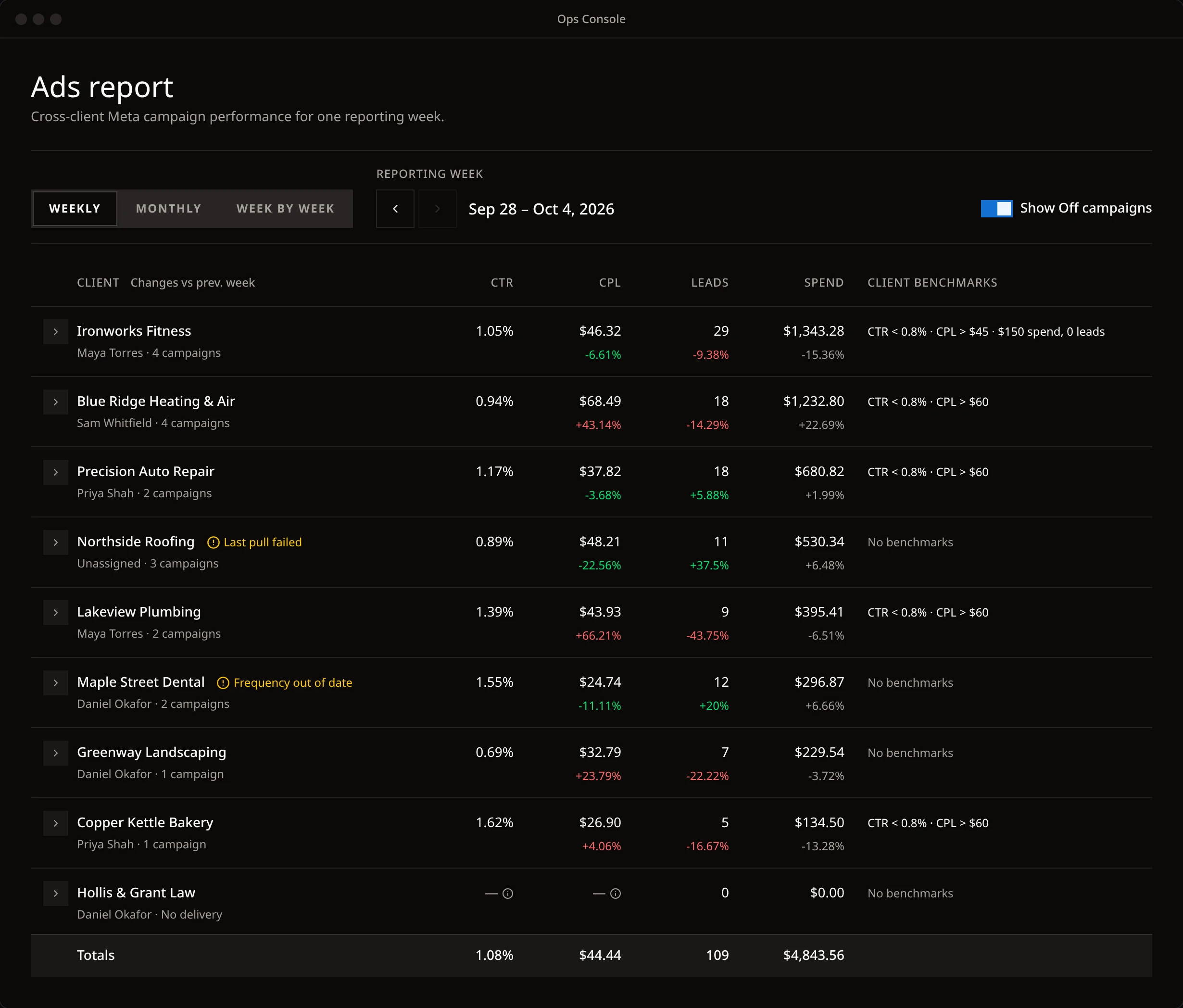
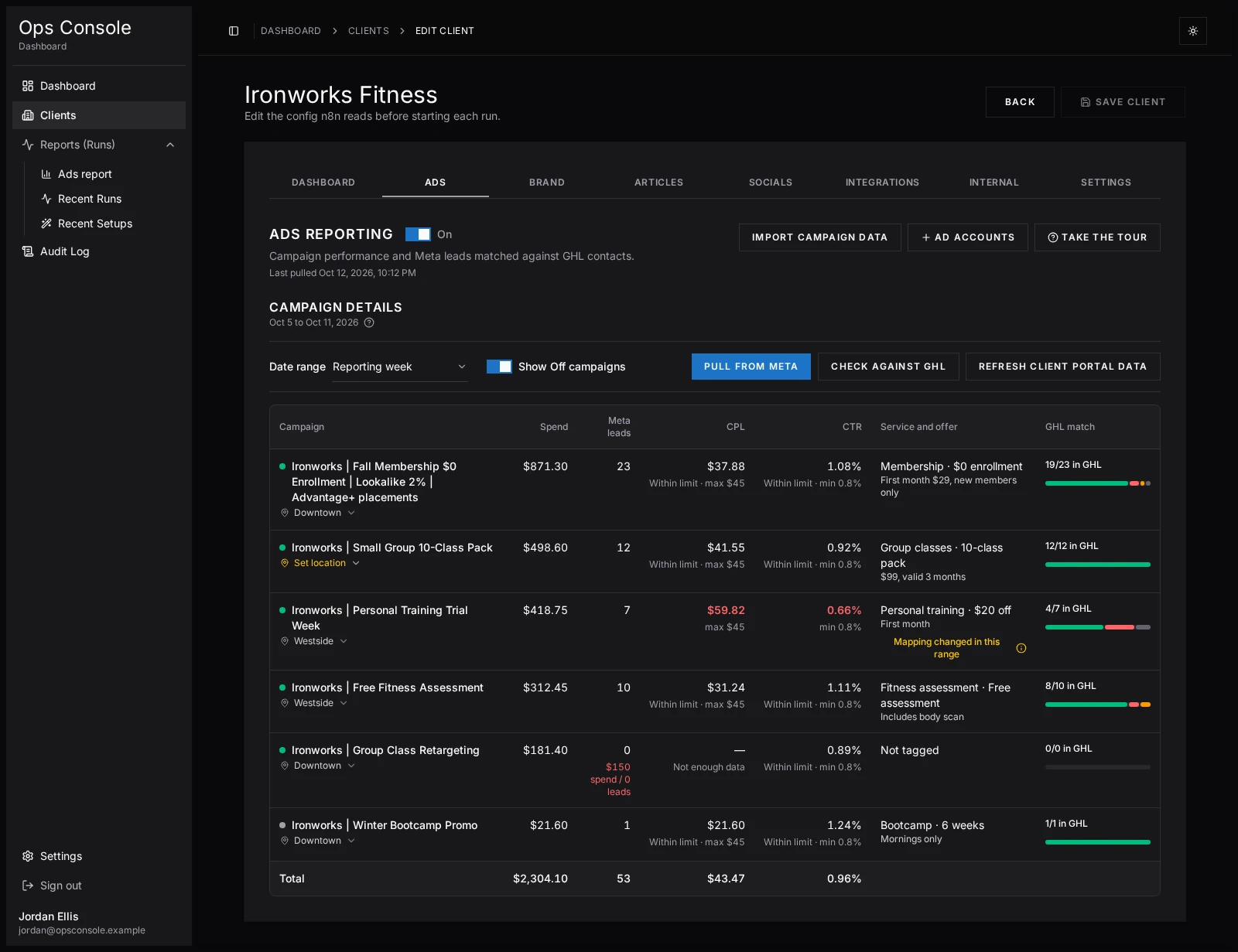
- A cross-client table. Every client on one screen, with the change against the previous period under each figure.
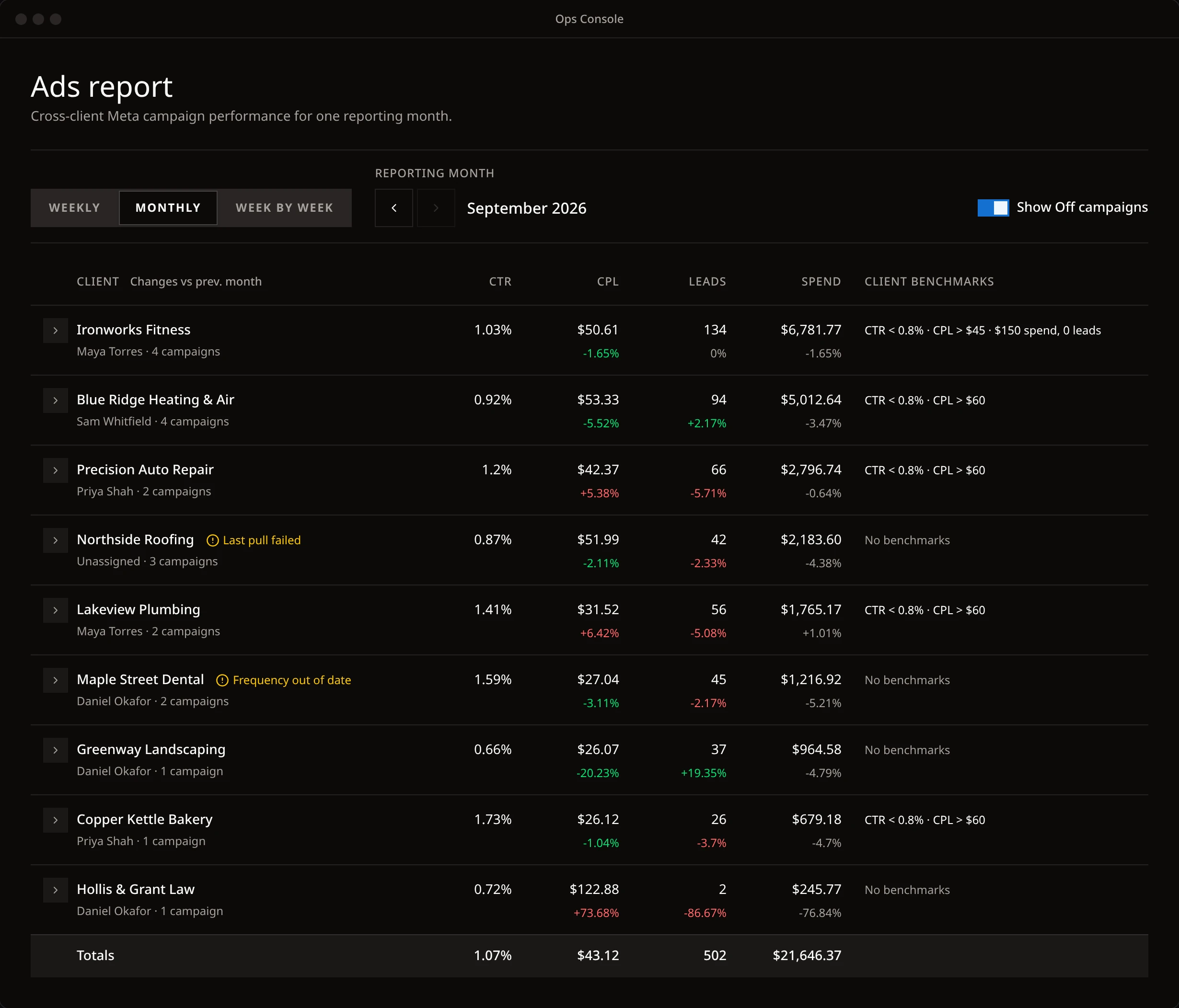
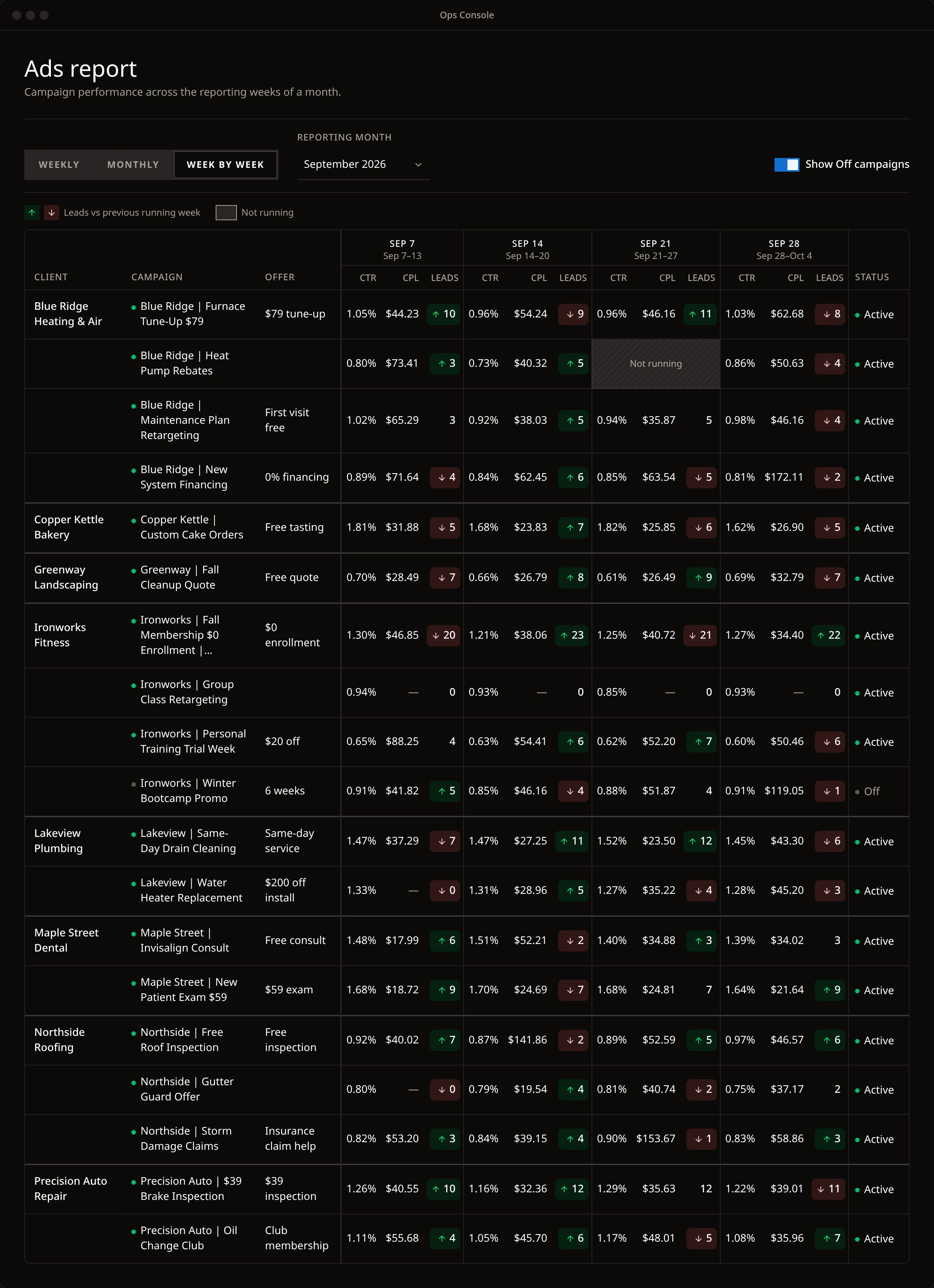
- Weekly, monthly and week-by-week views. The same numbers, cut by the period the team needs.
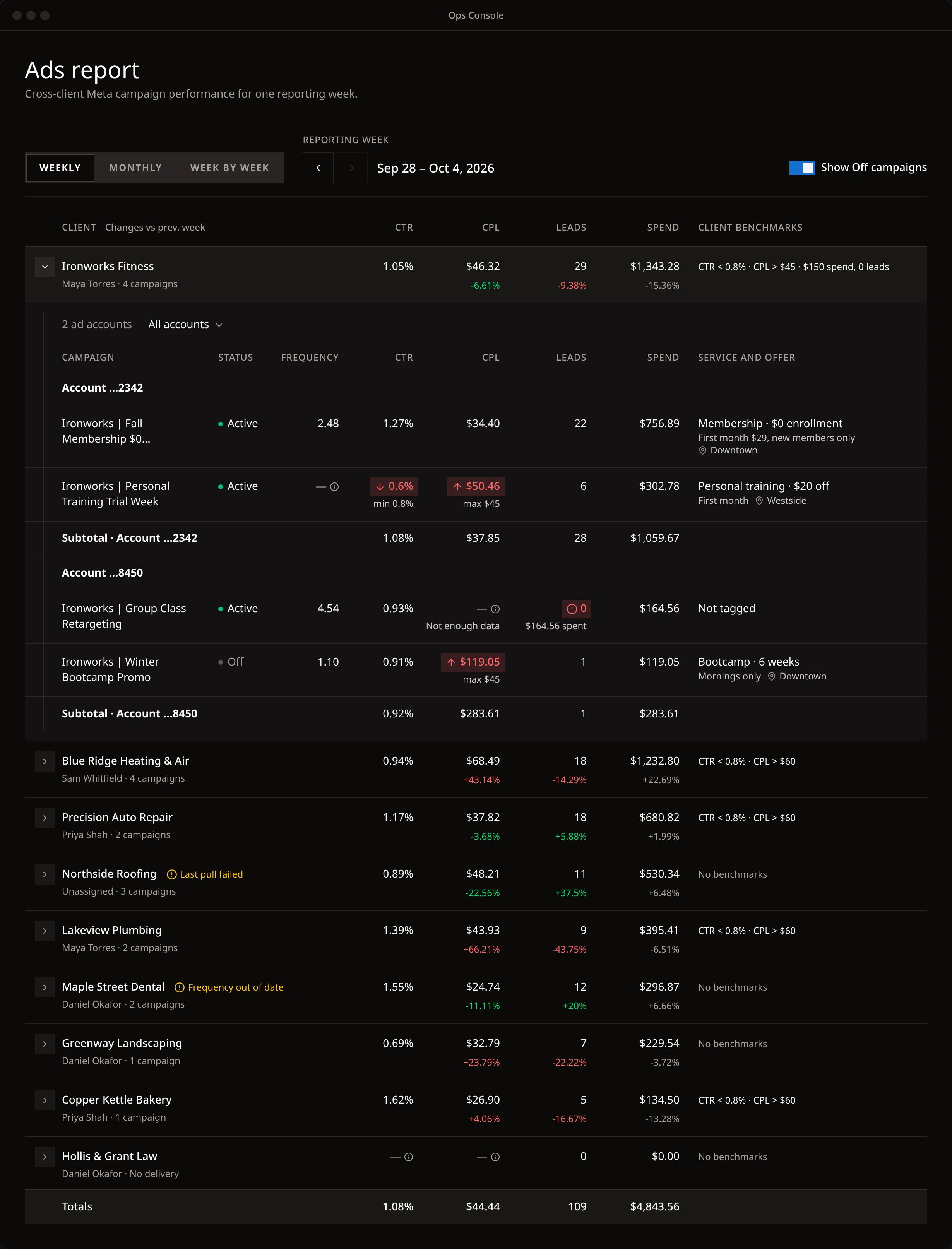
- Per-campaign benchmarks. Each campaign gets a pass or breach verdict against the limits set for its client.
- Slack messages. A weekly benchmark report, and a daily alert when something needs attention.
The live demo and the screenshots below come from the real interface, shown as "Ops Console" and filled with demo data. Every business, person and figure in them is invented.

What nobody was checking
Speed was not the only gap. Two checks were never done at all.
Meta leads against the CRM. Meta counts a lead when someone fills in a lead form. That lead should also appear in GoHighLevel, where the team follows it up. Nobody compared the two. The reporting now matches Meta lead-form leads against GoHighLevel for each campaign.
Spend with nothing to show for it. A campaign can keep spending while reporting zero leads. In a spreadsheet filled in once a week, that is easy to miss. The reporting now flags every campaign that spends with zero reported leads.
What changed
| Task | Before | After |
|---|---|---|
| Weekly ad performance check for one client | up to 1 hour | under 5 seconds |
The weekly ad performance check for one client went from up to 1 hour to under 5 seconds.
That saves about 87 hours a month of account-manager time, which at $31 an hour is about $2,700 a month.
Account managers stop building spreadsheets, and a campaign that spends without producing leads is flagged the next morning.
Technical decisions
- Read Meta directly, not through the CRM. The figures come from Meta itself, so the CRM can be checked against them instead of being trusted as the source.
- Reporting periods that are correct in every ad account's time zone. A week or month means the same days the ad account means, wherever the account is set.
- Tables with verdicts, not charts. Account managers need to know which campaign is outside its limits. A pass or breach verdict answers that faster than a chart.
Interested in similar solutions?
Let's discuss how I can help with your project.